How to Compare Rates Using My Electric Green Data?
Choosing the right electricity plan in California can be a daunting task. With dozens of options, such as TOU-DR1, TOU-DR2, TOU-ELEC, TOU-EV5 and many others, understanding the differences between these plans beyond just the billing periods can be confusing. Whether you're wondering if switching plans will save you money or if there are hidden costs associated with certain rates, navigating the complexities of these options is challenging without a clear, comparative view.
While the details of these pricing plans are publicly available, there isn't a centralized resource that helps you determine which plan is best for your specific usage. Are the differences merely in billing periods, or do the rates per kWh also vary? Similarly, while some plans like TOU-ELEC and TOU-EV5 promise lower costs during off-peak hours, they come with a monthly fee—so how do you calculate potential savings?
The Solution
This is where MyKWhNow.com's compare tool comes in. Designed to simplify the process of choosing the best electricity plan, our compare tool allows you to visualize two rates side by side. By uploading your green data (your electricity consumption history in 15-minute intervals over the past year) you can see the total cost in dollar amounts for each plan, making it easy to compare and choose the most cost-effective option for your household.
How to Use the Compare Tool
1. Select 2 Rates
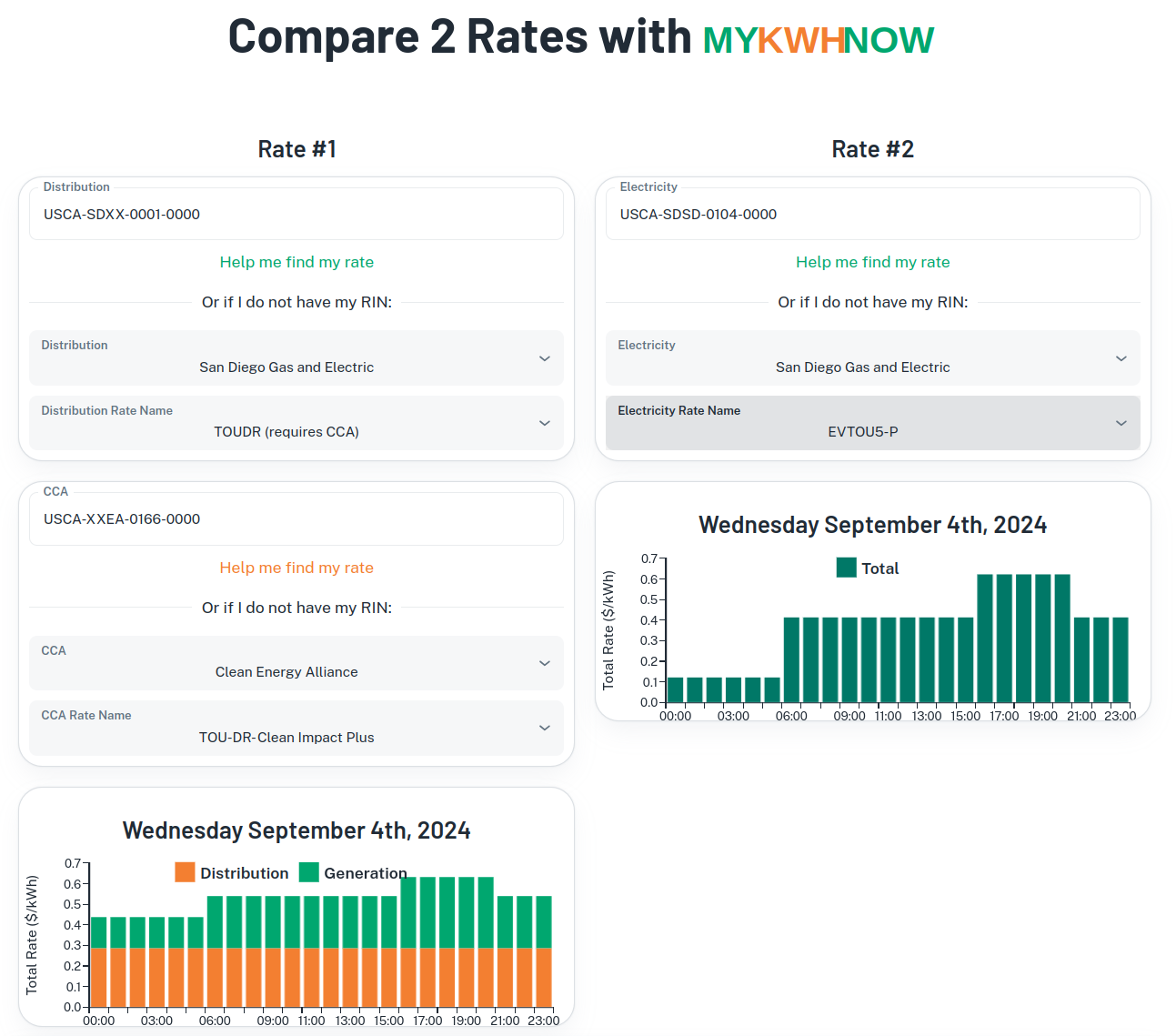
The compare tool is intuitively divided into two columns, allowing you to visualize two different rates, one on the left and one on the right. Start by selecting the rates you want to compare. If you have your RINs, this process will be straightforward. Otherwise, you can manually select your energy company and the specific rate names. If you are part of a Community Choice Aggregator (CCA), you can include that in your selection as well. Once the rates are selected, the tool will display an hourly chart that visually represents the rate breakdown by hour.
2. Log in to MyKWhNow.com
To access the compare tool, you'll need to log in. If you don't have an account, you can quickly create one or log in using your Google account. Alternatively, you can request a magic link that will be emailed to you, allowing for easy, password-free login.
3. Upload Your Green Data
Once logged in, download your green data from your energy provider if you haven't done so already, and save it on your computer. Then, upload this data by dragging and dropping the file into the designated drop zone or selecting it via an upload dialog box.

4. Review Your Results
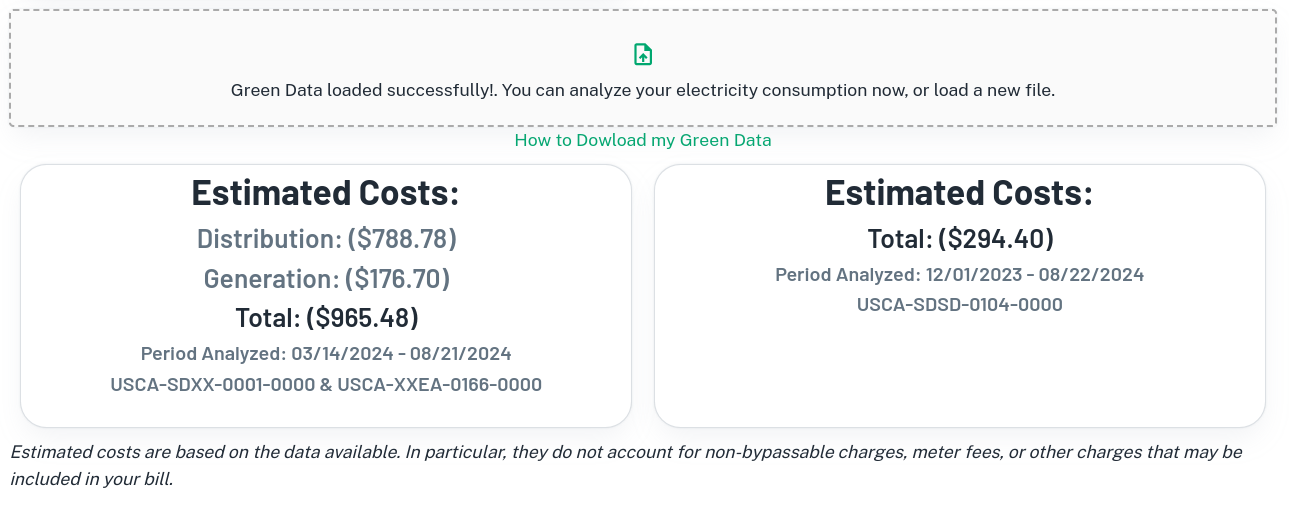
Within seconds, the tool will calculate your electricity costs under both selected plans. The results will be displayed as simple dollar amounts for each plan, allowing you to easily see which option is cheaper. However, keep in mind that additional charges such as non-bypassable charges, meter fees, or other items might be added to your final electricity bill, so the total cost might be higher.
Choosing the right electricity plan doesn't have to be overwhelming. With MyKWhNow's compare tool, you can confidently determine which plan is best suited for your household, potentially saving you money and helping you avoid unnecessary fees.