How to Download Your Green Data?
Accessing and downloading your green data from SDGE, now managed through MyEnergyCenter.com, is a straightforward process. This guide will walk you through the steps to ensure you get the data you need in just a few clicks.
Step 1: Log in and Select Electric Usage
After logging into your MyEnergyCenter.com account, you'll land on the home page. It's crucial to ensure you're viewing your electric usage data. Look at the top-right corner of the screen, where a dropdown menu allows you to toggle between electric and gas usage. Make sure elec is selected.
Step 2: Navigate to the Usage Section
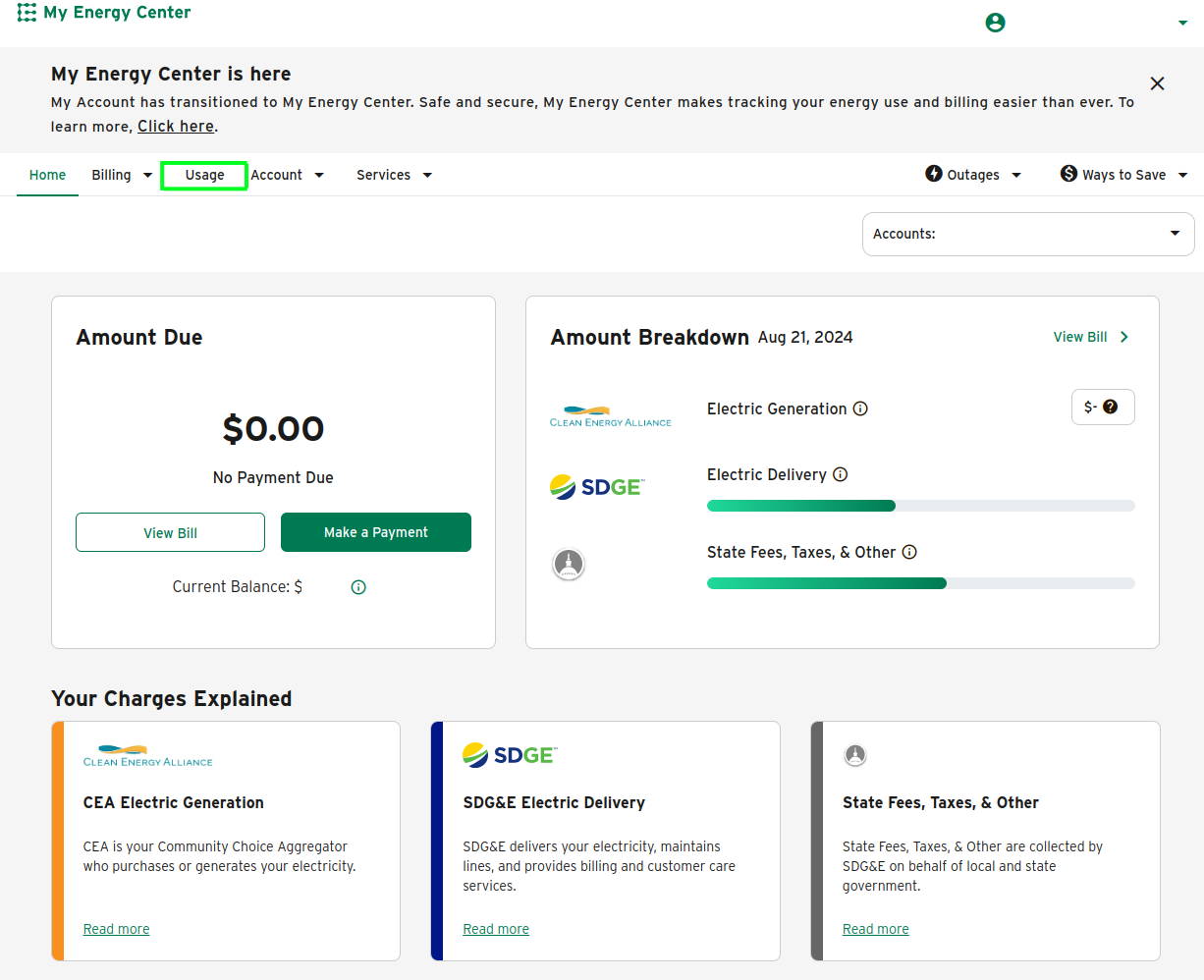
Once you've confirmed you're looking at your electric data, the next step is to click on the Usage tab. We have highlighted this tab with a green box in the screenshot for your reference. This section provides a detailed overview of your energy consumption.
Step 3: Access the Green Button Download
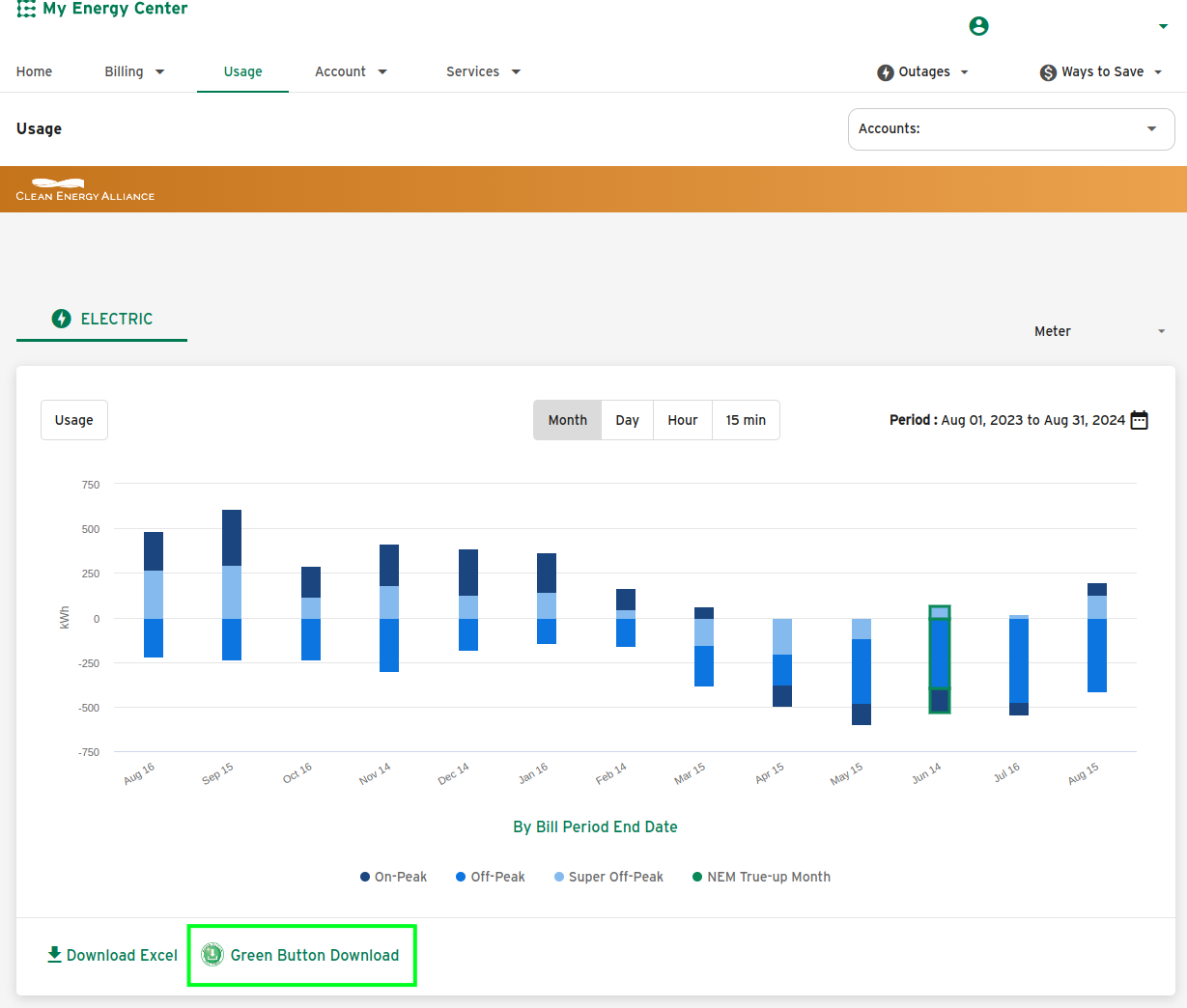
Scroll down to the bottom of the page, just below the energy usage chart. Here, you'll find the Green Button Download option, highlighted in green on the screenshot. This button is your gateway to downloading your data.
Step 4: Select Your Time Window and Format
When you click the Green Button Download, you'll be prompted to select a time window for the data you want to analyze. Keep in mind that the maximum range you can choose is 365 days. To ensure you have the most comprehensive data, we recommend selecting the longest time window available.
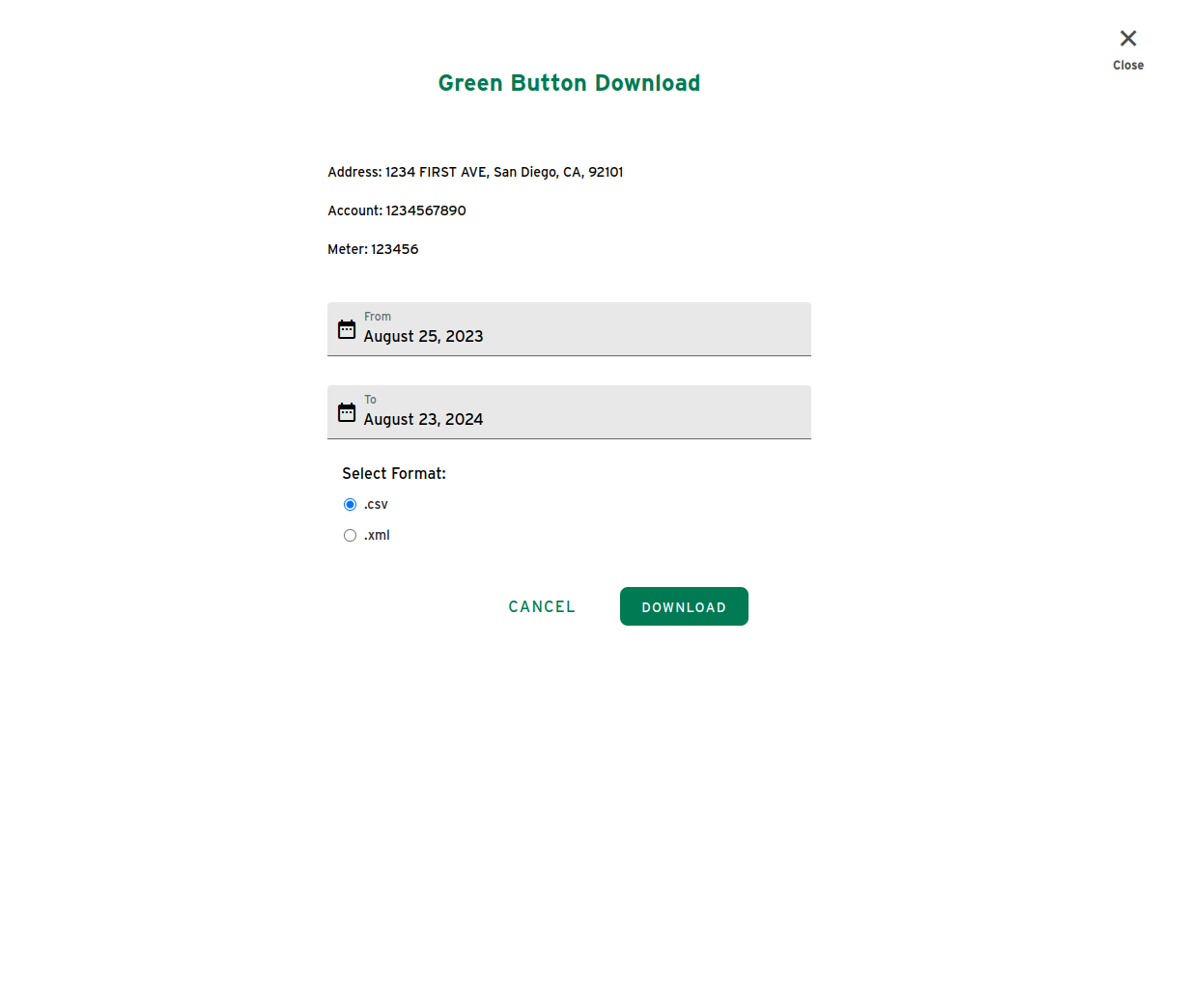
Before you proceed with the download, make sure that CSV is selected as the file format. This format is compatible with most data analysis tools, is human readable, and is the required format on MyKWhNow.com.
Step 5: Download Your Data
Once you've made your selections, click the download button. Your green data will be saved to your computer as a CSV file, ready for you to analyze and explore.
By following these simple steps, you'll have access to your green data in no time, empowering you using MyKWhNow.com to explore how different rates impact your overall cost.